Last Commit, Long Silence: Life Inside a Motherboard After the BIOS Updates Stop
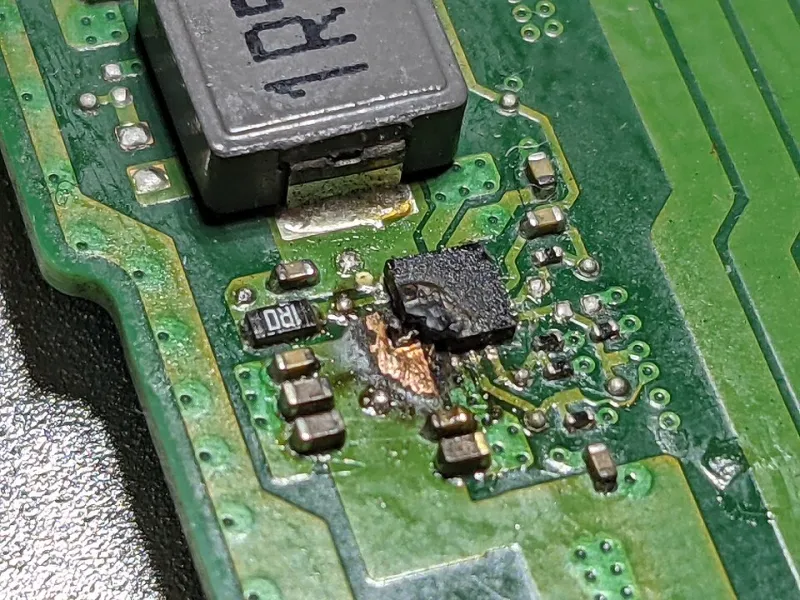
Photo: Profpcde, CC0, via Wikimedia Commons
The Update That Never Gets a Changelog Entry
Somewhere between the last CPU compatibility note and the final security patch, a motherboard's firmware story quietly ends. There is no ceremony. The product page stays up, the download archive remains available, and the board keeps booting. But the pipeline that produced those periodic AGESA bumps and microcode rollups has closed, and from that point forward, the silicon underneath is frozen in whatever state the vendor last left it.
For most buyers, this moment passes unnoticed. For enthusiasts who keep hardware running for a decade or more — a common pattern in the used server and workstation market this site covers often — end-of-support is not an abstraction. It is the difference between a board that gains support for a newer, cheaper CPU and one that never will.
What Vendors Actually Promise (And What They Don't)
Motherboard manufacturers are notably reluctant to publish formal end-of-life policies. Unlike operating system vendors, who announce support windows years in advance, board makers tend to let support decay gradually. The pattern is consistent across the major US-available brands: heavy update activity in the first eighteen to twenty-four months, a slowdown as the socket's successor launches, and then a trickle of revisions released only when something significant forces the issue.
That something is usually one of three things. A security vulnerability with real-world exploit potential — the Sinkclose-style SMM flaws and the recurring wave of SPI flash bugs being the clearest recent examples. A memory training fix that resolves widespread instability. Or, less commonly, a new CPU stepping that requires a fresh AGESA base. If none of those arrive, the final BIOS version is simply the last one, and the vendor's attention moves to the next chipset generation.
The practical consequence is that bug triage is never truly finished when support ends — it is merely abandoned. Bugs that were acknowledged in forums but ranked below the fix threshold simply persist forever.
Case Studies in Firmware Abandonment
Consider a representative example: a mid-range AM4 board released in 2017. It gained Ryzen support through successive AGESA updates, survived the 3000-series launch, and received a final stability revision around the time Ryzen 5000 arrived. Boards in this class that were never granted a 5000-series BIOS — and several budget models were not — became effectively capped at Zen 2. The socket promised longevity; the firmware delivered less.
On the Intel side, the pattern shows up differently. Z170 and Z270 owners watched microcode updates address recurring speculative execution mitigations for years, then stop. A board released in 2016 now ships firmware from roughly 2020, complete with whatever memory compatibility quirks and USB power delivery oddities were never resolved. The hardware works. The firmware is a time capsule.
Server-adjacent hardware complicates the picture further. Boards from Supermicro and ASUS's workstation lines often carry BMC firmware with its own, independent support lifecycle — one that frequently outlives the BIOS itself, since IPMI security patches are driven by enterprise obligations rather than consumer product cycles. A board can be dead for BIOS purposes while its management controller is still receiving fixes.
The Community Patching Underground
When vendors stop, hobbyists sometimes start. The AM4 ecosystem produced the most prominent example: modded BIOS images that spliced newer AGESA bases into older boards' firmware, extending Ryzen 5000 support to sockets that never officially received it. These efforts rely on tools like the UEFITool ecosystem and a great deal of reverse engineering, and they carry genuine risk — a bad flash on a board without dual-BIOS or a flashback button can mean a CH341A clip and a lot of patience.
Coreboot represents the more principled end of the spectrum. A handful of boards — primarily ThinkPads, Chromebooks, and select server platforms — gain community-maintained firmware that outlives vendor support by years. But the list is short, the hardware requirements are strict, and the process bears no resemblance to running a vendor executable.
The realistic assessment for most owners is sobering. Community patching works when a board is popular enough to attract a maintainer, tolerant enough to accept modified images, and simple enough to recover from a failure. That describes a minority of the installed base. For everything else, the last official BIOS is the final word.
What This Means When You Buy
The practical takeaways are unglamorous but durable. First, buy boards whose vendors have a track record of long-tail updates — this is a verifiable pattern, visible in download archives, and it varies more between brands than most reviews acknowledge. Second, treat BIOS flashback and dual-BIOS as insurance worth paying for on any board you intend to keep past its support window. Third, when evaluating used hardware, check the final BIOS version against the CPU you plan to drop in — the socket's theoretical compatibility means nothing if the firmware layer in between was never written.
A motherboard's useful life is bounded less by its capacitors than by its flash chip. The hardware will boot for decades. The question is whether the code telling it how will ever change again — and for most boards, the honest answer is no.