Same Box, Different Board: Why Revision Numbers Deserve More Attention Than Heatsinks

Motherboard shopping has developed a ritual. Enthusiasts zoom into product photos, count power stages, squint at heatsink mass, and debate memory topology in forum threads. All worthwhile. But almost nobody asks the question that may matter more than any single photograph: which revision of this board am I actually buying?
The Revision You Didn't Order
Motherboards are not static products. A model launched in one quarter may remain on retail shelves for three years, and during that time the manufacturer may revise the board — sometimes for legitimate improvement, sometimes to cut cost as component prices and supply chains shift. The product name on the box does not change. The spec sheet on the retailer's page does not change. The PCB in your hands, however, might be meaningfully different from the one the first reviewers tested.
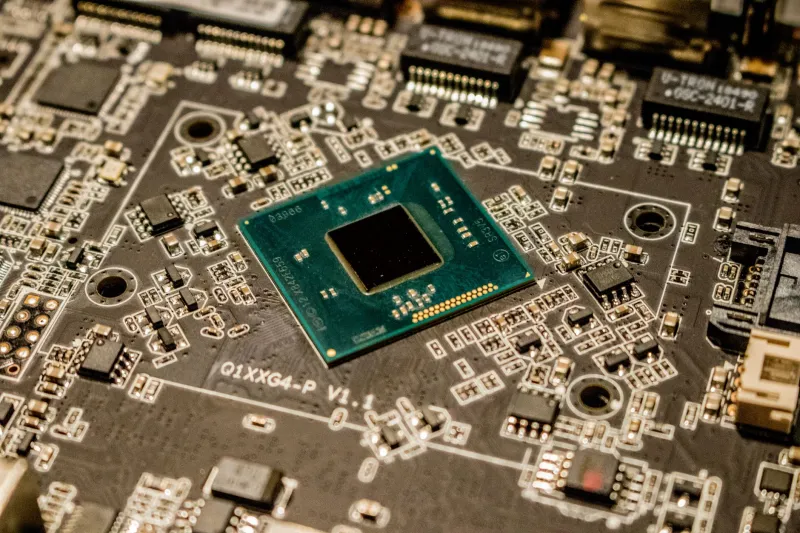
Revision markings are typically silkscreened near a board edge or printed on the PCB itself, often formatted as "REV 1.0," "REV 1.1," and so on. Some manufacturers also encode revisions in serial numbers or BIOS version requirements. Finding the marking on a product photo is difficult; finding it on a board you already own is trivial — which is precisely the problem. The information arrives after the purchase.
What Actually Changes
Downgrades between revisions tend to be quiet and individually defensible. A network controller from Intel swapped for a Realtek equivalent. A better audio codec replaced with a cheaper one. The number of power phases reduced in a way that spec sheets, which list "12+2 phase VRM" loosely, may never have captured accurately in the first place. USB controller substitutions. Changes to the memory QVL. Occasionally, an entire feature — a second M.2 slot's heatsink, a Debug LED — vanishes.
To be fair, revisions also run the other direction. A board revised to fix a defect, add support for a newer CPU generation, or address a recall is a revision you actively want. The point is not that revisions are bad. The point is that they are information, and information you are currently ignoring.
How to Shop Around Revisions
A practical approach takes twenty minutes:
- Check the manufacturer's support page. Many list BIOS files by board revision, which indirectly reveals how many revisions exist and how divergent they've become. A model with a BIOS split across "REV 1.x" and "REV 2.x" is telling you something significant changed at the hardware level.
- Read recent owner threads, not launch reviews. Forum posts from buyers six months after launch will surface "they changed the audio chip" complaints that launch coverage missed.
- Favor earlier revisions for known-good boards. If a board launched with a well-reviewed layout, buying the earliest revision still in the channel maximizes the odds of receiving what the reviewers tested.
- Favor later revisions for new CPU compatibility. The inverse applies when a chipset needs support for a processor generation that launched after the board did.
- Check return policies. Retailers generally cannot guarantee a revision; a no-questions return window is your hedge against receiving a silently altered board.
Timing the Purchase
This reframes purchase timing in a way the usual "wait for a sale" advice doesn't capture. Boards late in their production cycle are the most likely to carry cost-optimized revisions — the manufacturer is squeezing margin out of a mature product before discontinuation. Boards near launch carry launch-revision risk of a different kind: unproven hardware. The sweet spot, in my view, is the middle of the cycle, after early-revision defects have been corrected and before end-of-life cost trimming begins.
None of this means abandoning VRM analysis or heatsink comparisons. It means adding one more field to the checklist — one that costs nothing to check and, unlike a heatsink photo, tells you something about the specific unit that will arrive at your door. The box says the product name. The silkscreen says the truth.