Decoding the Board: What F_PANEL, JTPM1, and CPU_OPT Actually Mean
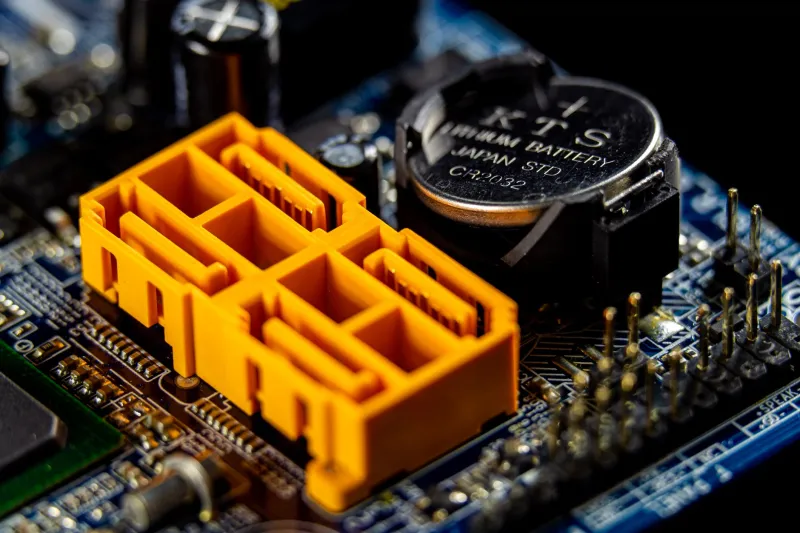
Every builder eventually faces the same moment: the motherboard is mounted, the CPU is seated, and a bundle of thin cables hovers over a grid of pins labeled in four-character abbreviations that no human was ever meant to parse. F_PANEL. JTPM1. CPU_OPT. The board works perfectly once connected — but getting there relies on a lexicon that the industry has never bothered to standardize.
This guide decodes the labels you will actually encounter on a consumer board in 2025, and explains why the documentation accompanying them has barely evolved since the Pentium era.
The Front-Panel Cluster: F_PANEL and Its Cousins
The most infamous header on any board is the front-panel connector, labeled F_PANEL on boards from ASUS, MSI, and ASRock, and JFP1 on many Gigabyte models. It carries the signals for the power switch, reset switch, power LED, and HDD activity LED.
The critical detail: switches are polarity-agnostic, while LEDs are not. A power button will work regardless of orientation. An LED plugged in backward simply will not light. Because the header itself is rarely keyed, reversed pins remain the single most common first-build mistake — and because the power switch works either way, a builder may not discover the reversed HDD LED until months later.
A practical tip for US builders sourcing cases from brands like Corsair, Lian Li, or Fractal: many modern cases ship the front-panel wiring as a single molded Q-connector block. If your case includes one, use it. It converts a dozen individual pins into one pluggable unit and eliminates the polarity guessing almost entirely.
USB Headers: From USB 2.0 to the 19-pin Type-C Era
USB headers follow a more forgiving pattern. The 9-pin USB 2.0 header (often labeled JUSB1 or F_USB) supplies two ports and is usually keyed by a missing pin. The 19-pin USB 3.x header (JUSB3, F_USB30) is taller and, on recent boards, increasingly supplemented or replaced by an internal Type-C header — a rectangular, key-shaped connector that powers front-panel USB-C ports.
Two cautions worth committing to memory:
- The 19-pin connector is physically compatible with USB 3.0 and 3.2 Gen 1 headers but will not deliver USB 3.2 Gen 2 speeds unless the header and controller support it.
- Internal Type-C headers come in keyed and unkeyed variants. An unkeyed header can technically accept the cable in reverse orientation on some boards; consult the silkscreen arrow before forcing it.
Fan and Pump Headers: CPU_FAN, SYS_FAN, and CPU_OPT
Fan headers are 4-pin, keyed, and largely self-explanatory — with one recurring source of confusion. CPU_OPT (CPU optional) sounds like a spare CPU fan header, and on most boards it is functionally identical to CPU_FAN, sharing the same temperature-driven curve. It is also the correct header for the second fan of a tower cooler, which is why high-end air coolers ship with Y-cables.
One warning applies universally: do not use a pump header (labeled PUMP_FAN or AIO_PUMP) for a case fan you want to run quietly. Pump headers typically run at full speed or a fixed duty cycle by design.
The Security and Recovery Oddballs
A few headers exist for purposes most builders will never exercise, yet they occupy prominent board real estate:
- JTPM1 / TPM_HDR: A 14-pin (or 19/20-pin on some boards) header for a discrete Trusted Platform Module. Discrete TPMs became briefly famous during the Windows 11 rollout, when US retailers sold out of modules for older boards.
- JCI1 / COM: A legacy serial header, still present because industrial and point-of-sale buyers demand it.
- JBAT1 / CLRTC: The CMOS clear jumper. This one you will eventually use. If a memory overclock leaves the board unwilling to POST, shorting these two pins (with the PSU off) restores factory settings.
- JRGB / JARGB_V2 / ADD_HEADER: Addressable RGB headers. The 3-pin 5V ARGB header and 4-pin 12V RGB header are not interchangeable, and plugging a 12V strip into a 5V header can destroy both. This remains the most expensive mistake in the entire category.
Thunderbolt, Audio, and the Rest
The remaining connectors are lower-risk. The HD_AUDIO header (9-pin, keyed) feeds the front-panel jack; the Thunderbolt header (JTHB1 or TB_HEADER on Z-series boards) powers add-in cards. Both are difficult to connect incorrectly thanks to keying.
Why the Documentation Never Caught Up
Here is the uncomfortable part: none of this should require a field guide. The abbreviations date to the 1990s, when board manuals were printed in a dozen languages and header diagrams were drawn in a style recognizable to anyone who has read an IBM PC technical reference. Modern PDFs simply inherit that layout.
The result is a documentation gap that falls hardest on first-time builders. A $600 motherboard ships with a 40-page manual in which the front-panel pinout occupies a half-page table, while the vendor's own software suite gets ten pages of color screenshots. Third-party resources — forum threads, YouTube teardowns, and sites like this one — have effectively replaced the manual as the primary reference.
Until manufacturers invest in clearer silkscreen labels and keyed front-panel headers across the board, the cheat-sheet approach remains the pragmatic answer. Print the pinouts, keep them on the bench, and treat every unlabeled header with suspicion.
Quick-Reference Cheat Sheet
| Label | Function | Polarity-sensitive? |
|---|---|---|
| F_PANEL / JFP1 | Power/reset switches, LEDs | LEDs only |
| CPU_FAN / CPU_OPT | Cooler fans | No |
| SYS_FAN / CHA_FAN | Case fans | No |
| PUMP_FAN / AIO_PUMP | Liquid cooling pumps | No |
| JUSB1 / F_USB | USB 2.0 (9-pin) | Keyed |
| JUSB3 / F_USB30 | USB 3.x (19-pin) | Keyed |
| USB_C / JCTypeC | Internal Type-C | Check arrow |
| JTPM1 | Discrete TPM | Keyed |
| JBAT1 / CLRTC | Clear CMOS | Use with PSU off |
| JRGB (4-pin) | 12V RGB | Never mix with ARGB |
| JARGB (3-pin, 5V) | Addressable RGB | Never mix with RGB |
| HD_AUDIO | Front audio jacks | Keyed |
Tape it inside your case. Future you will thank present you.