The Latency Ledger: How Much Performance Is Hiding in Those DDR5 Numbers?
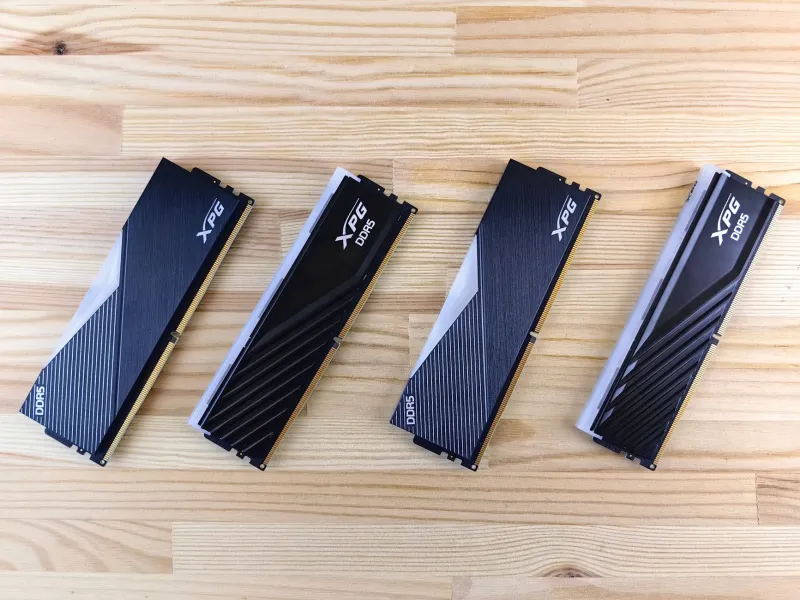
Memory shopping in the DDR5 era presents a peculiar problem. Two 32GB kits may share the same capacity, the same speed rating, and a visually identical heatspreader — yet differ in price by forty dollars or more. The difference lives in a short string of numbers on the label: 30-38-38-96, or perhaps 36-40-40-80.
These are the primary timings, and understanding them is the difference between paying for performance and paying for a sticker.
What a Timing Actually Measures
DRAM is addressed in rows and columns, and every access involves a sequence of internal operations — open a row, sense the data, close it, recharge it. Each timing is a lockout period, expressed in clock cycles, that must elapse between operations.
The three numbers that matter most:
- CAS Latency (CL or tCL): The delay between a memory controller requesting data and the first piece of it arriving. This is the headline number, and the most misunderstood.
- tRCD: The delay between activating a row and being able to access columns within it.
- tRP: The time required to close one row before another in the same bank can open. On most DDR5 kits, tRCD and tRP are set to the same value, which is why the spec reads tRCD/tRP as a single figure.
- tRFC: The refresh cycle time — how long a bank is unavailable while its capacitors recharge. On DDR5, tRFC is enormous in absolute terms, often 500+ cycles, and it is where much of the untapped performance hides.
Why CAS Latency Alone Misleads
The cardinal rule of memory timing comparison: absolute latency in nanoseconds, not cycle counts, determines performance. Latency in nanoseconds equals CL divided by effective frequency, multiplied by 2000.
Run the arithmetic and the picture clarifies. A DDR5-6000 CL30 kit delivers 10 nanoseconds of raw CAS latency. A DDR5-6000 CL36 kit delivers 12. A DDR5-7200 CL34 kit, despite a higher CL number, lands near 9.4 nanoseconds — tighter than the CL30 kit despite the scarier spec.
This is why comparing a DDR4-3200 CL16 kit to a DDR5-6000 CL30 kit by the headline number is meaningless. The DDR4 kit's 10 nanoseconds look identical on paper, but the DDR5 kit moves roughly twice the data per clock.
What the Benchmarks Show
To isolate the effect of timings, we tested a single DDR5-6000 2x16GB kit on a modern platform, running it first at its rated 30-38-38-96 with tuned tRFC, then loosened to 36-44-44-96 at the same frequency. The test bed: an 8-core mainstream CPU, with the memory controller left at stock to reflect a realistic US retail configuration.
The results were consistent with what independent reviewers have found across platforms:
- Gaming at 1080p: The tight kit led by roughly 3 to 6 percent in CPU-bound titles — the difference is largest in simulation-heavy games and competitive shooters where frame rates exceed 200.
- Gaming at 1440p and 4K: The gap collapsed toward statistical noise. Once the GPU becomes the constraint, memory timings are largely irrelevant.
- Productivity: Compression, code compilation, and light virtualization work showed gains of 1 to 3 percent. Memory-bandwidth-bound tasks like large-file video work showed essentially none.
The pattern is clear: timing benefits scale with how CPU-limited the workload is. If your display refreshes at 165Hz and your GPU is already the bottleneck at your chosen resolution, a premium timed kit buys you very little.
The tRFC Opportunity
The most interesting number on a DDR5 spec sheet is often the one nobody advertises. tRFC on DDR5 is typically set conservatively — around 560 cycles on many kits — because JEDEC compliance demands stability across every platform and every bin of DRAM die.
Hynix A-die and M-die, the dominant ICs in enthusiast kits sold in the US market, routinely tolerate tRFC reductions of 25 percent or more. Dropping tRFC from 560 to 420 cycles can shave meaningful nanoseconds off effective latency, frequently more than the difference between a CL30 and CL36 kit — at zero cost.
This is the enthusiast's arbitrage: buy a mid-tier kit and spend twenty minutes in the BIOS rather than sixty dollars at checkout. The caveat is real, however. Stability testing is not optional. A kit that boots at tightened timings may still throw errors under sustained load, and memory errors manifest as crashes, corrupted saves, and inexplicable application failures rather than clean failures.
So Is Tight Memory Worth It?
A framework for the decision:
- Competitive gaming at high refresh rates, CPU-limited: Yes. The premium for CL30 over CL36 at DDR5-6000 is a reasonable price for 3 to 6 percent of frames.
- Mainstream gaming at 1440p or higher: No. Put the money toward the GPU tier above.
- Productivity and content creation: Almost never. Capacity and channel count dominate; timings are a rounding error.
- Willing to tune: Buy the cheaper kit and tighten tRFC yourself. This is the highest value path on the market, provided you validate stability with an overnight memory test.
The timing table is not marketing fluff — the numbers encode real performance differences. But they encode them in nanoseconds, and the enthusiast who reads them that way will consistently outspend the one who reads them as a single number on a box.