A Few Kilobytes Between You and the Hardware: How Microcode Rewrites Your Processor Without Touching It
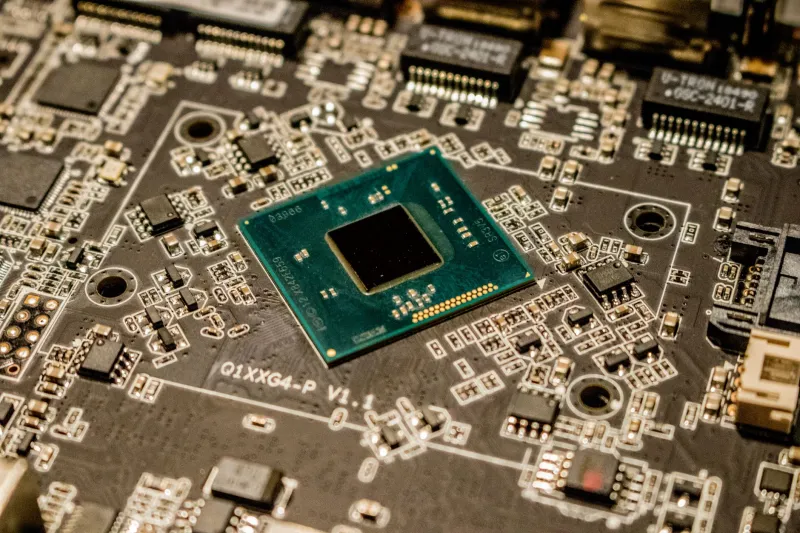
Somewhere between the instruction set your compiler targets and the transistors that actually do the work sits a layer most enthusiasts never think about: microcode. It is neither hardware nor software in the conventional sense — a body of interpretable code stored inside the processor itself, defining how complex instructions like a multiply-with-rounding or an atomic compare-exchange get decomposed into internal operations. When Intel or AMD ships a microcode update, they are, quite literally, reprogramming the interpretation layer of a chip that has already been soldered to a board and shipped to a Best Buy in Ohio.
What Microcode Actually Is
Modern x86 processors do not execute instructions directly in the way a textbook pipeline diagram suggests. Many instructions — particularly the long, register-rich ones x86 accumulated over decades — are broken down by the processor into sequences of internal micro-operations, or μops. Some of this decomposition is hardwired for speed. The rest is handled by microcode: a small store of firmware, typically tens to a few hundred kilobytes, that the CPU consults for instructions too complicated or too rare to justify dedicated silicon.
This arrangement gives silicon designers a pressure valve. If a specific instruction sequence exhibits a fault — a corner case in a floating-point edge condition, a stall that should not occur, or worse, a security-relevant behavior — the decomposition can be corrected after the fact. The Pentium FDIV bug of 1994 became the canonical example: a lookup table flaw in floating-point division that Intel initially could only fix by recalling chips. The modern microcode apparatus exists, in part, because the industry learned that lesson the hard way.
How Updates Reach Your Machine
A microcode patch follows one of two routes, and understanding both matters if you run older hardware.
The BIOS route. Processor vendors publish microcode blobs to motherboard manufacturers, who fold them into UEFI firmware releases. During boot, the firmware loads the relevant microcode into the CPU before the operating system takes over. This is the preferred path because the patch is active from the first instruction onward. The catch is dependence on your board vendor: if a motherboard maker stops issuing BIOS updates, that microcode never arrives, no matter what Intel or AMD releases.
The operating system route. Both Windows and Linux can apply microcode at boot as well. Linux distributions carry packages such as intel-microcode and amd-ucode (Debian and Ubuntu users may know these well), while Windows receives equivalent updates through Windows Update, often bundled with security rollups. An OS-applied patch loads slightly later in the boot process, which matters for a narrow class of early-boot attacks, but for most purposes it is functionally equivalent — and critically, it does not require your motherboard vendor to still be in business.
Why a Few Kilobytes Matter So Much
The Spectre and Meltdown disclosures of January 2018 demonstrated the stakes. These were vulnerabilities in speculative execution — behavior baked into the microarchitecture itself. Hardware could not be recalled; the fix had to change how the processor handled speculation, and microcode was the only lever available. The resulting patches blunted the attacks but often carried measurable performance costs, particularly on workloads heavy in syscalls and context switches. Enthusiasts who benchmarked before-and-after on older chips saw single-thread regressions that no amount of driver updating would recover.
Microcode revisions have also surfaced in less dramatic contexts. Some AMD Ryzen steppings received updates to address fTPM stutter — intermittent audio and input hitches traced to the firmware TPM. Intel has issued revisions correcting behavior in specific AVX-512 paths. None of these make headlines the way a new socket does, yet each can meaningfully change how an existing system behaves.
Tracking Revisions on Your Own Systems
If you want to know what revision your processor is running, the tools are straightforward.
On Linux, the simplest method is reading /proc/cpuinfo — the microcode field reports the currently loaded revision in hexadecimal. The ucode-tool family of utilities and distribution changelogs let you cross-reference that hex value against published releases; Intel's microcode revision notes and AMD's advisory pages document what each bump addresses, though often in deliberately terse language.
On Windows, the built-in System Information tool (msinfo32) does not surface the revision directly, but third-party utilities such as HWiNFO report it under the CPU section. Compare it against the latest BIOS release notes from your board vendor — ASUS, MSI, and Gigabyte all list "updated CPU microcode" among their changelog entries, frequently without specifying the revision number, which is precisely why independent trackers like those maintained on the Intel community forums have become reference material.
What It Means for Older Systems
For owners of pre-2018 hardware, microcode status is now a genuine part of the buying calculus. A used Xeon or an older Ryzen on a board with its final BIOS already flashed may be fully patched; the same chip on a board awaiting an update that never came may not be. Before purchasing secondhand enterprise gear — a topic this site has covered before — verify that the latest available firmware includes post-Spectre microcode for your specific stepping.
There is also a ceiling to what microcode can accomplish. It can alter instruction decomposition, adjust speculation behavior, and paper over errata. It cannot add new instructions, restore lost performance, or fundamentally restructure a pipeline. A patched Haswell is safer than an unpatched one; it is still a Haswell.
The takeaway is unglamorous but useful: your processor is not finished when it leaves the fab. A few kilobytes of vendor-authored code, loaded silently at every boot, stand between the architecture on the datasheet and the behavior you actually get. Checking that layer takes five minutes and, on older machines, can be the difference between a patched system and a vulnerable one.